Building Stopdown, an Image Compressor That Never Leaves Your Browser
Mahmudul Hasan Nayeem / August 19, 2026
I kept running into the same small annoyance: a form that rejects anything over
1MB, an email attachment that's just slightly too large, a screenshot that's
ten times bigger than it needs to be. The usual fix is some ad-choked "free
online image compressor" that quietly uploads your photo to a server you know
nothing about, makes you wait, and then nags you to sign up.
None of that is actually necessary. Modern browsers can already decode, resize,
and re-encode images natively through the Canvas API — so I built
Stopdown, a tool that does the
entire job on your own device, in the tab you already have open. Here's how I
approached it.
The Aperture Concept
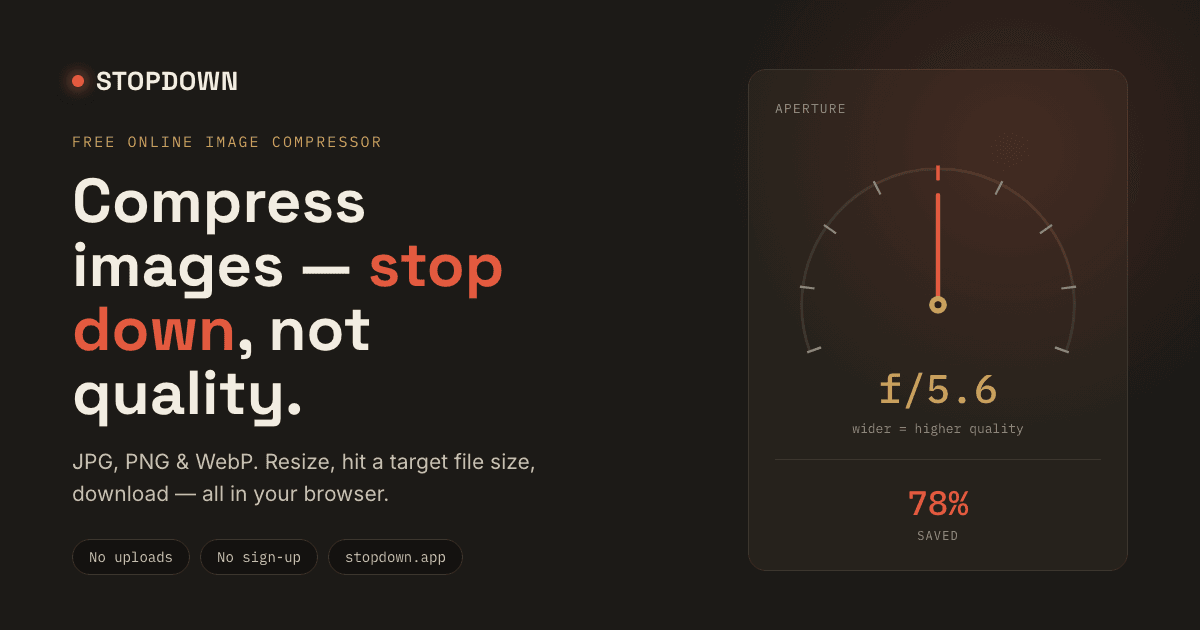
Most compressors give you a bare quality: 73% slider, which doesn't mean much
to anyone using it. I wanted the control to explain the trade-off it
represents, so I built the interface around a photography concept instead:
stopping down.
In a camera, stopping down means closing the aperture to let in less light —
you trade brightness for a sharper, more controlled exposure. Image compression
is the same trade, just with file size instead of light. So instead of a
quality percentage, Stopdown uses a dial marked in real f-stops, from f/1.4
(wide open, keeps almost everything) to f/22 (stopped all the way down,
smallest file). It's a small framing decision, but mapping the control to a
concept people already loosely understand made the tool easier to reason about
than an arbitrary percentage ever would.
How the Compression Actually Works
- The image loads into an off-screen canvas. The browser decodes the file
and redraws it pixel-by-pixel onto a
<canvas>element — this is where all the real work happens. - Moving the dial re-encodes the canvas. Each aperture position maps to a
JPEG/WebP quality value passed into
canvas.toBlob(). The output size updates instantly as you drag. - Resizing happens before encoding. Optional width and height fields scale the canvas down first, for cases where the resolution is overkill for wherever the image is headed.
- Target file size uses a binary search. This is the feature I'm most
pleased with. Type in
200 KB, and Stopdown doesn't guess — it repeatedly re-encodes at different quality values, checking the resulting blob size each time, until it converges on the highest quality that still fits under the target. Usually within 6–8 iterations. - Format conversion is independent of the upload. You can load a
PNGand export it asWebP, or vice versa. PNG and WebP preserve transparency; JPEG flattens it to white, since JPEG has no alpha channel.
Why Client-Side Processing Mattered
Doing everything in-browser wasn't just a privacy decision, though that's the most obvious win — your photos never touch a server, so there's nothing to log, store, or leak. It also meant:
- No upload wait. Compression starts the instant you drop the file, even on a slow connection, since there's nothing to send anywhere first.
- No arbitrary limits. Server-based tools often cap file size or daily usage to control their own costs. Here, the only real limit is your device's own processing power.
- Zero hosting cost. No server means no reason to gate features behind a paywall or account wall.
The Stack
Stopdown is a single static HTML file — no framework, no build step, no
dependencies. Everything runs on two browser-native APIs: the Canvas 2D API
for decoding, resizing, and drawing, and canvas.toBlob() for re-encoding at a
chosen format and quality, asynchronously. The interface — the aperture dial,
the drag-and-drop overlay, the format chips — is hand-built SVG and CSS on
top of that.
Conclusion
Building Stopdown reinforced something I keep relearning: a lot of tools that feel like they need a backend really don't. The browser already has the primitives; the interesting work is in the interface decisions — like choosing an aperture over a percentage — that make those primitives feel intuitive.
If you've ever needed to shrink a photo for a form, an email, or your own site's load time, you can try it here: image-compressor.madebynayeem.com. No sign-up, nothing to install, and your photos never leave your browser.
0